Windows Firewall Rules
Windows Firewall enables administrators to create detailed, granular firewall rules. These rules can specify ports, protocols, applications, and network locations to control which traffic is allowed or blocked. This level of customization helps ensure only authorized network communications occur on the device.
Types of Windows Firewall Rules
1. Inbound Rules
- Control traffic entering a device
- Typically used to block unsolicited access
- Common for servers, but equally important on client systems
2. Outbound Rules
- Govern what traffic leaves the device
- Useful for preventing unauthorized data exfiltration or unwanted applications communicating externally
3. Connection Security Rules
- Specify authentication or encryption (IPsec) requirements for secure communication
Elements of a Firewall Rule
The main elements of a Windows Firewall Rule in Intune are:
Name
- Identifies the firewall rule.
- Example:
Allow RDP Access
Description
- Optional explanation of the rule purpose.
Enabled/Disabled
- Determines whether the rule is active.
Direction
- Defines traffic flow:
- Inbound → incoming traffic
- Outbound → outgoing traffic
- Defines traffic flow:
Action
- What the firewall should do:
- Allow
- Block
- What the firewall should do:
Protocol
- Type of network protocol:
- TCP
- UDP
- ICMP
- Any
- Type of network protocol:
Local Port
- Port on the local device.
- Example:
3389for RDP.
Remote Port
- Port used by the remote system.
Local Address
- IP address/range on the local device.
Remote Address
- Source or destination IP allowed/blocked.
- Application/File Path
- Specific app the rule applies to.
- Example:Network Profiles
- Determines where the rule applies:
- Domain
- Private
- Public
- Interface Types
- Network adapter type:
- LAN
- Wireless
- Remote Access
- All
- Edge Traversal
- Controls whether traffic can pass through NAT/firewall edge devices.
- User/Device Scope
- Limits rule to specific users or devices.
- Security Settings
- Can require authentication or encryption.
Steps to deploy Firewall Rules
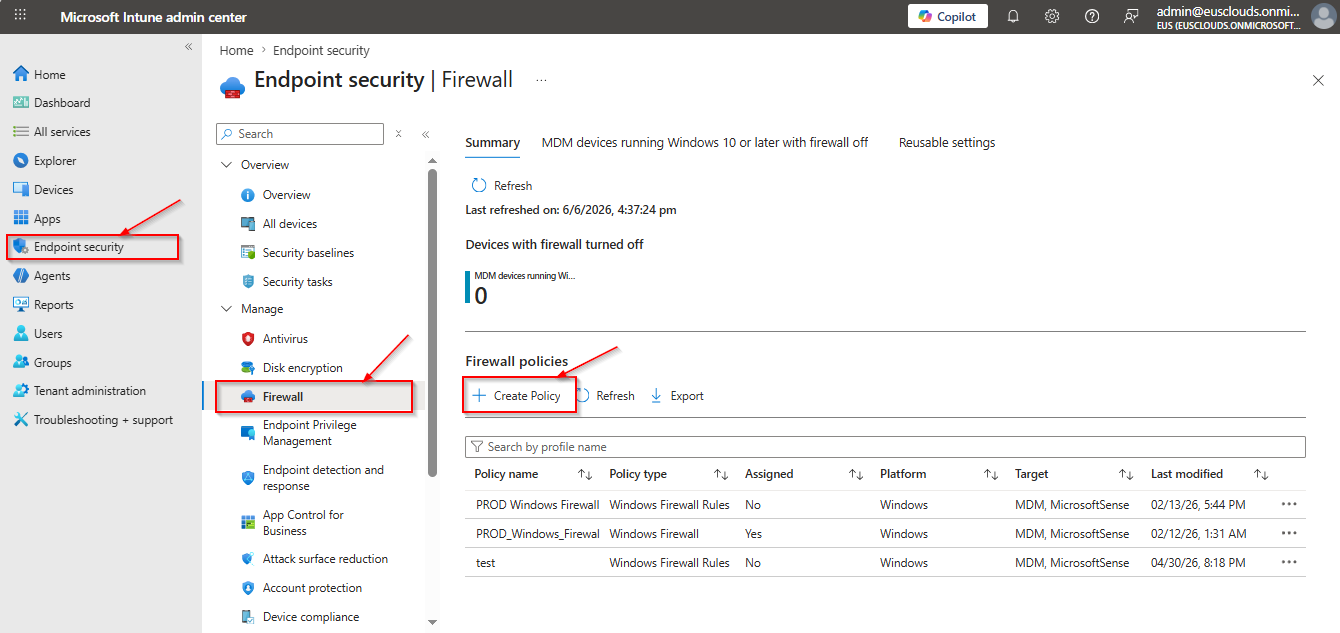
- Login to Intune console and click on Endpoint Security then click on Create Policy.
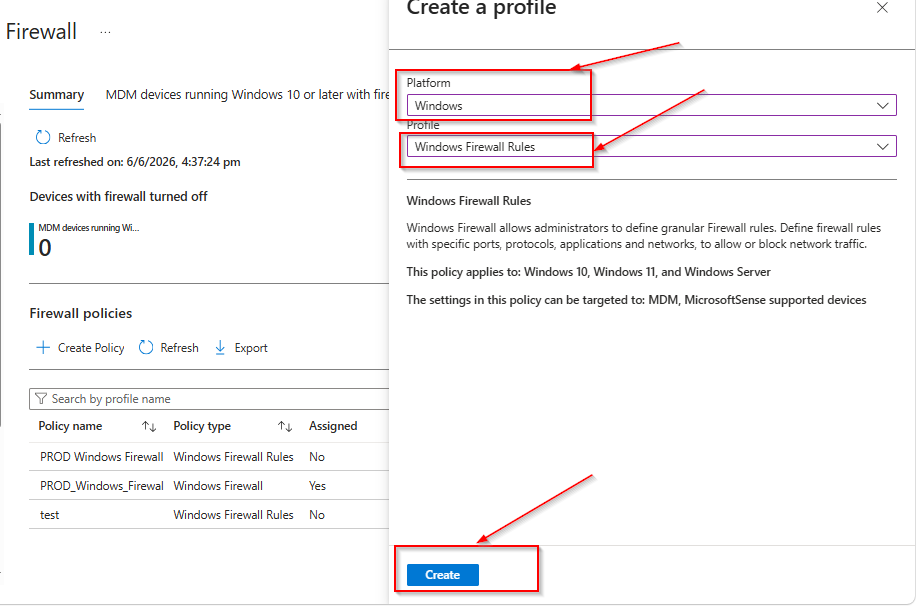
Select the Platform as Windows and Profile “Windows Firewall Rules”
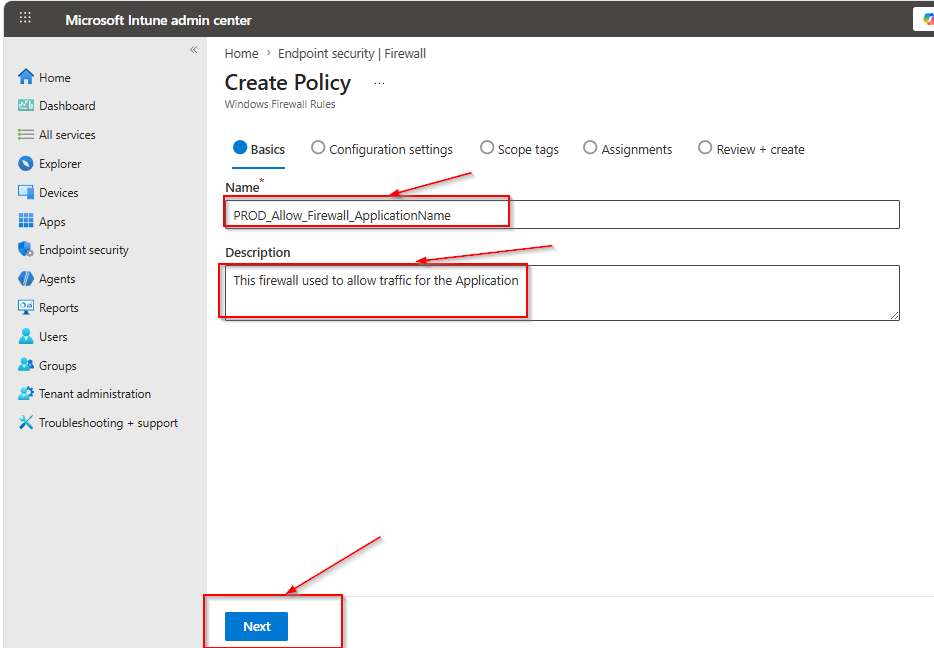
Fill the Firewall rule and description.
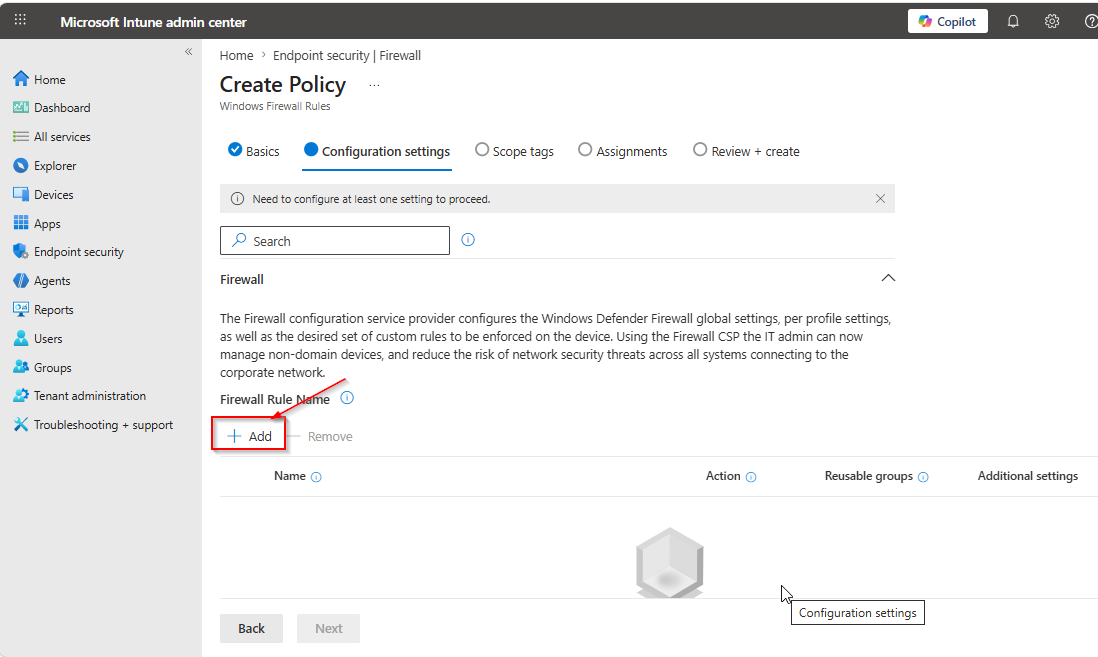
Click on Add
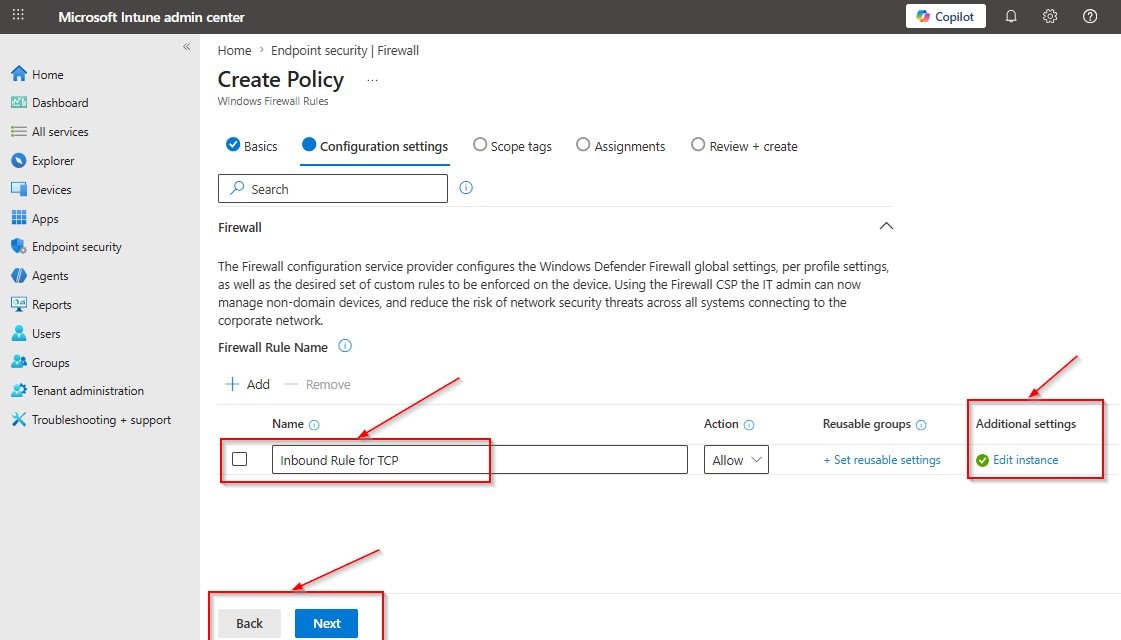
Fill the Rule Name and click on additional settings
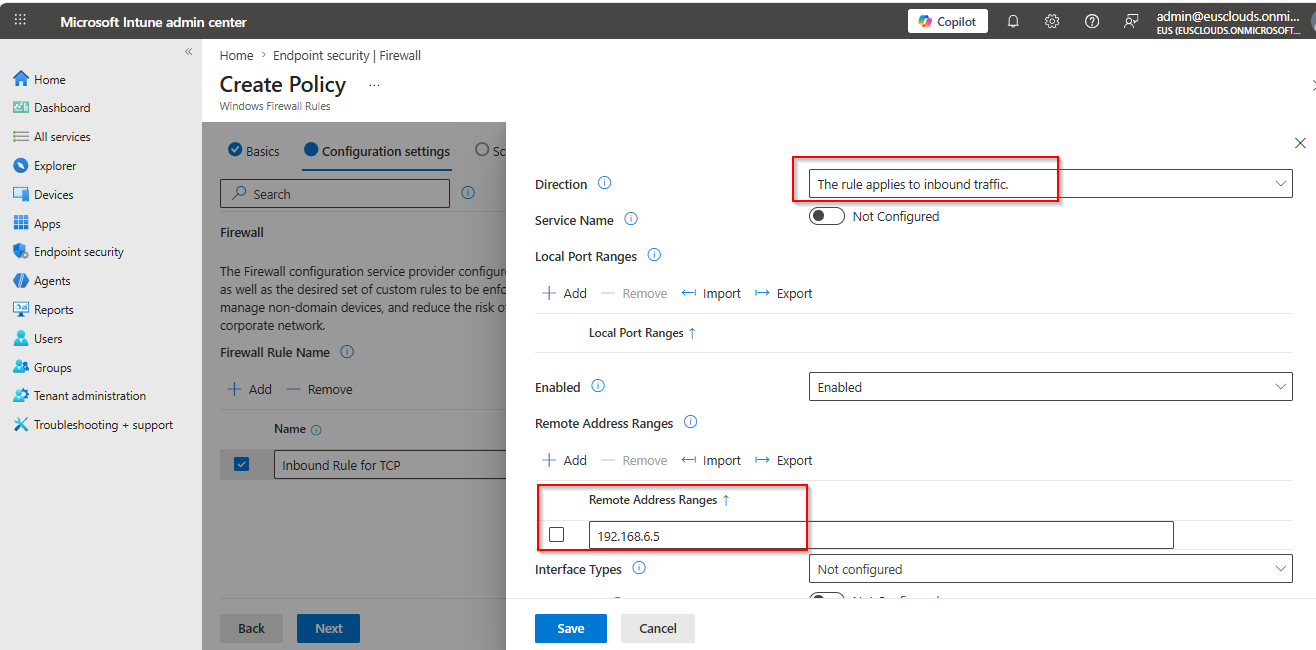
Fill all the required details and click on Save
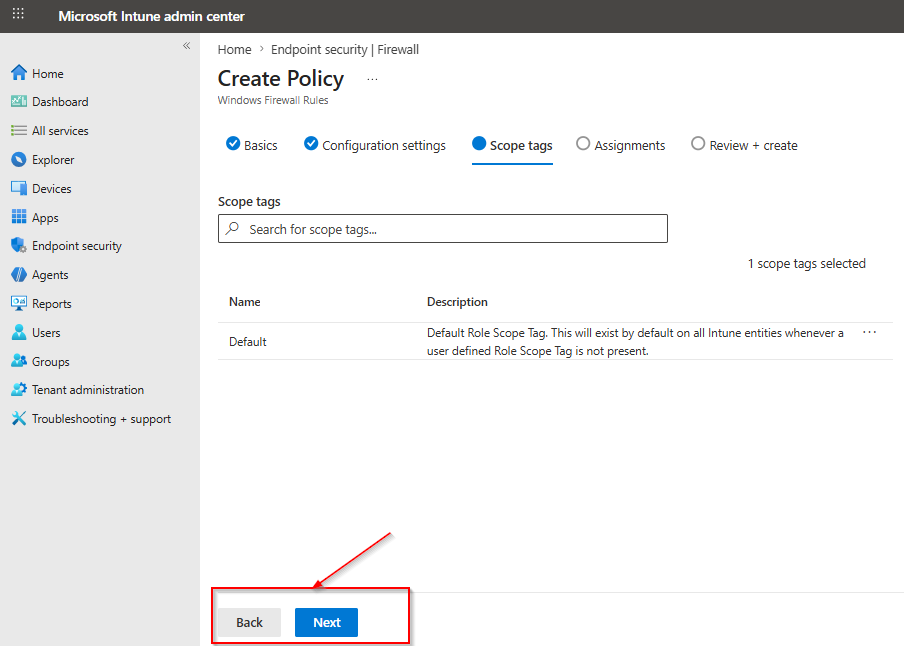
Add Scope Tag is needed then click on Next
Select the group name where want to apply the policy.
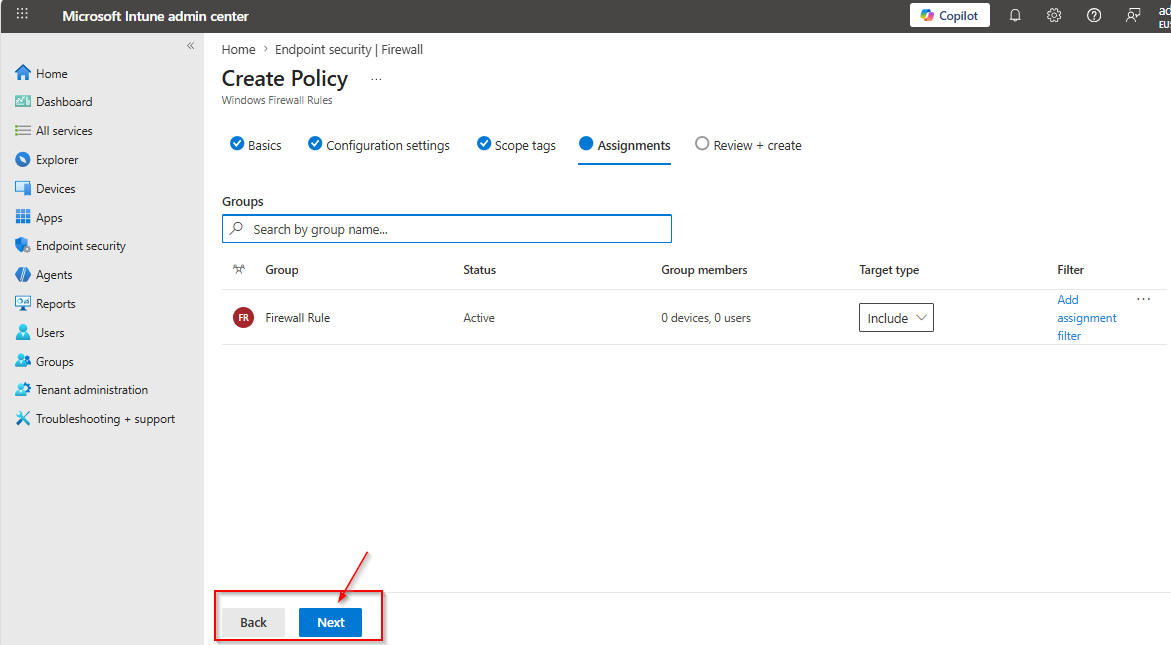
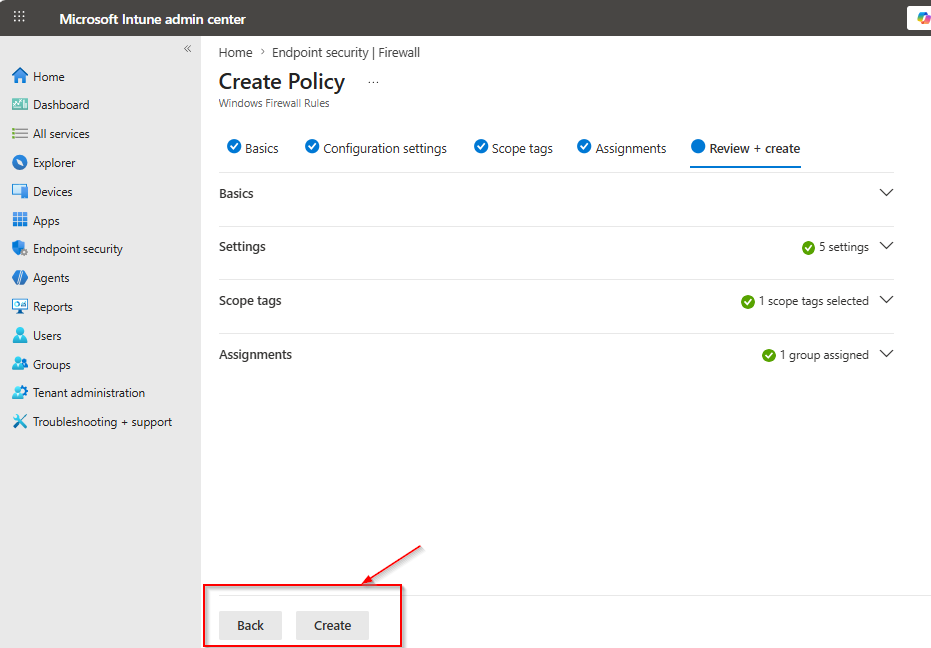
Now validate all the settings and click on create.