What is BitLocker Policy ?
- BitLocker provides the additional Data Protection layer by using the Encryption and Decryption technology.
- Its a data protection feature that integrates with the operating system and addresses the threats of data theft or exposure from lost, stolen, or inappropriately decommissioned computers.
- BitLocker provides the most protection when used with a Trusted Platform Module (TPM) version 1.2 or later. The TPM is a hardware component installed in many newer computers by the computer manufacturers.
Why Use Intune for BitLocker?
Managing BitLocker with Intune offers several advantages:
- Enforces consistent encryption settings across all devices
- Automates recovery key backup to Azure AD
- Simplifies monitoring through the Encryption Report
- Ensures compliance for Zero Trust security models
- Reduces reliance on on‑premises Group Policy
Here is the steps to deploy BitLocker Policy from the Intune.
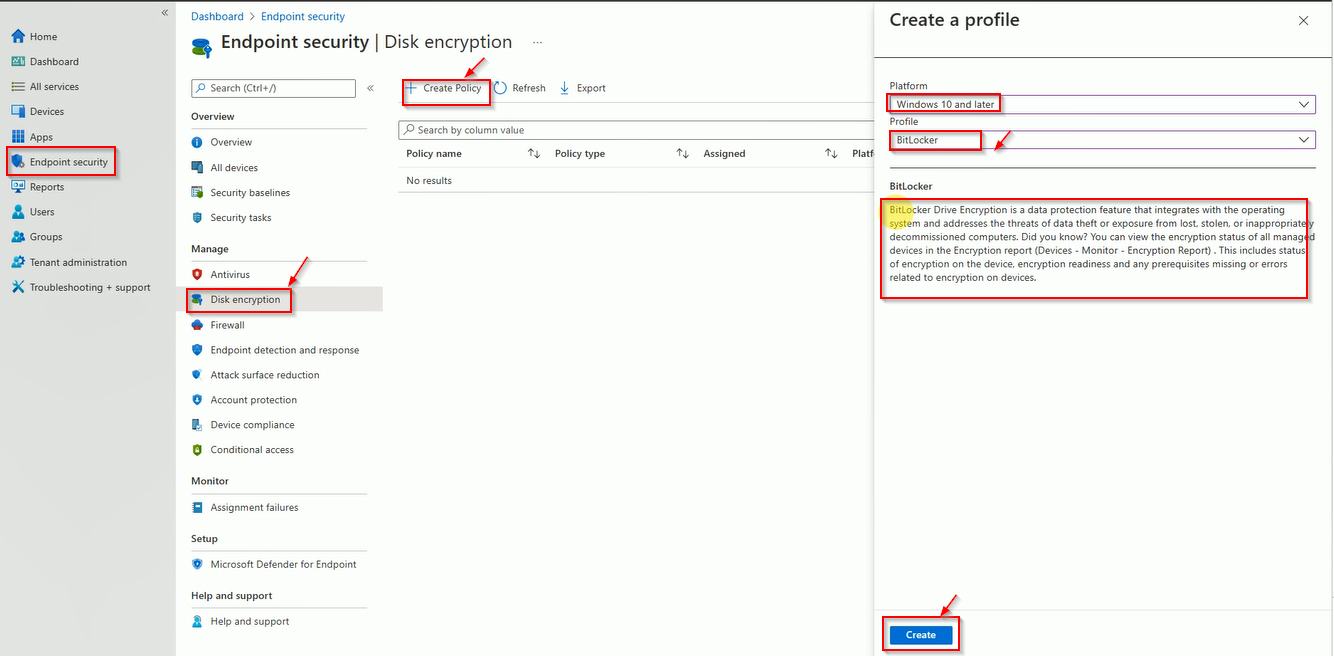
Login to Intune, Click on Endpoint Security then Disk Encryption and Click on New Policy then Select Windows in Platform and Profile BitLocker.
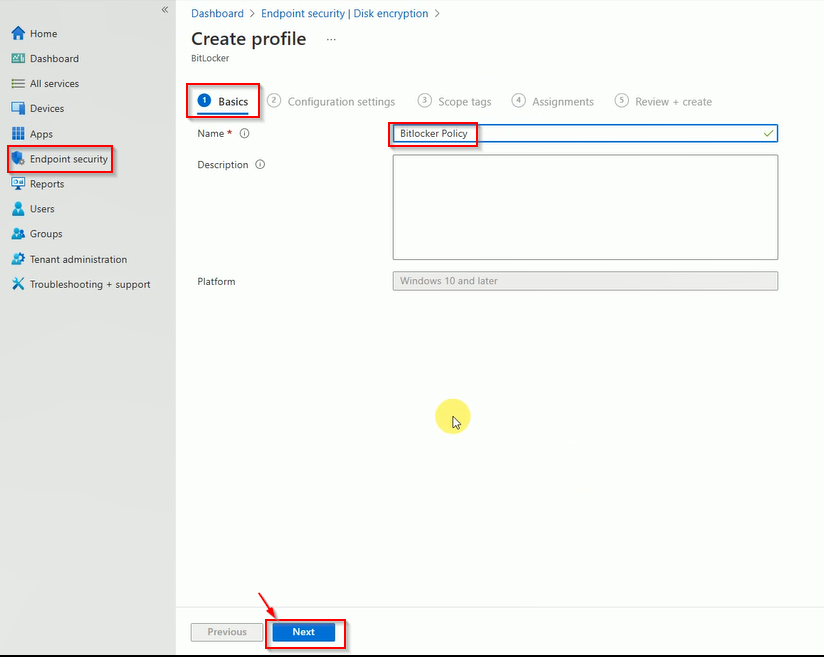
Enter the Policy Name.
Expend the Configuration tab and select the appropriate settings then click on next.
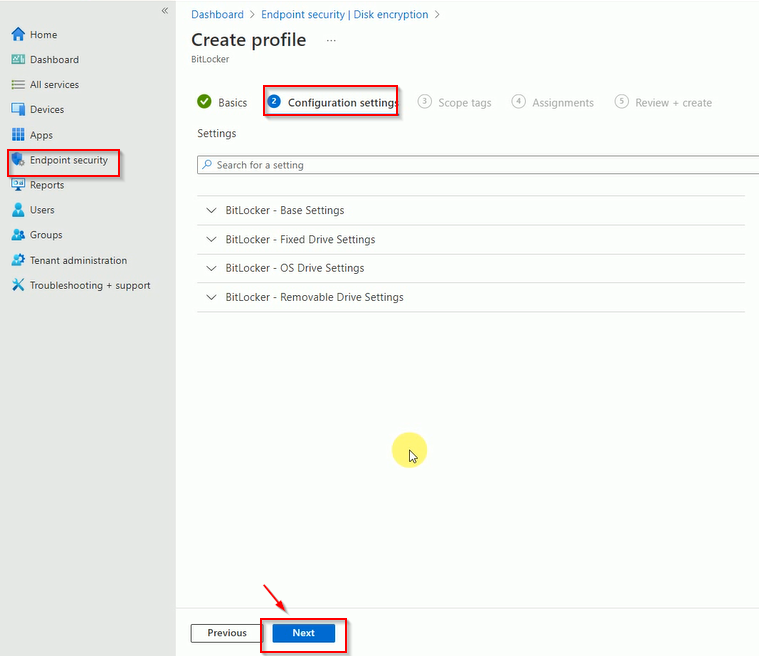
Here is some recommendations.
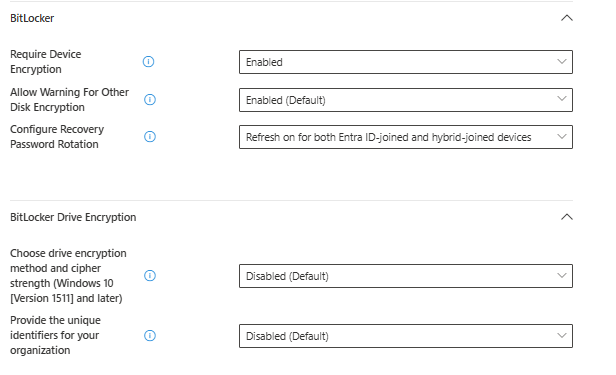
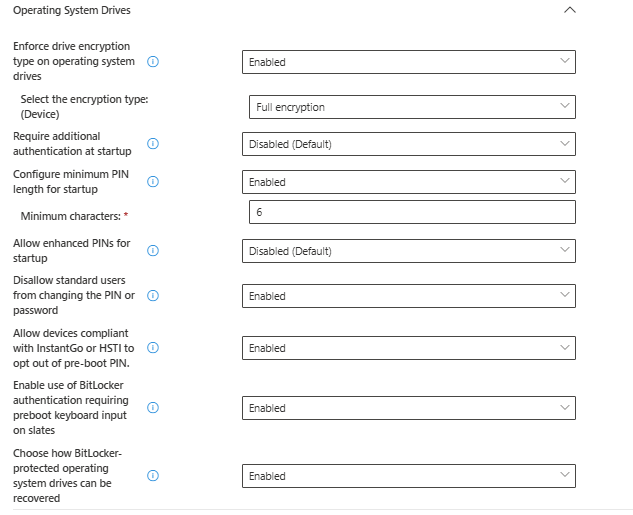
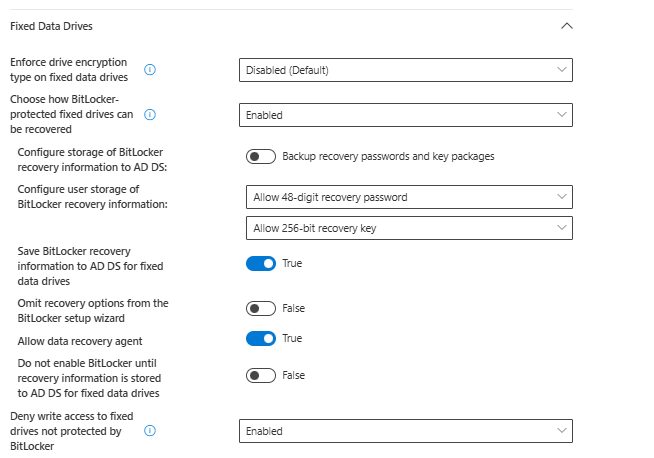
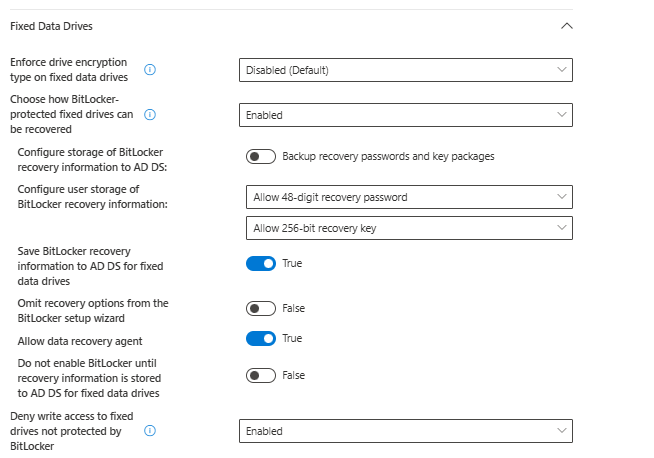
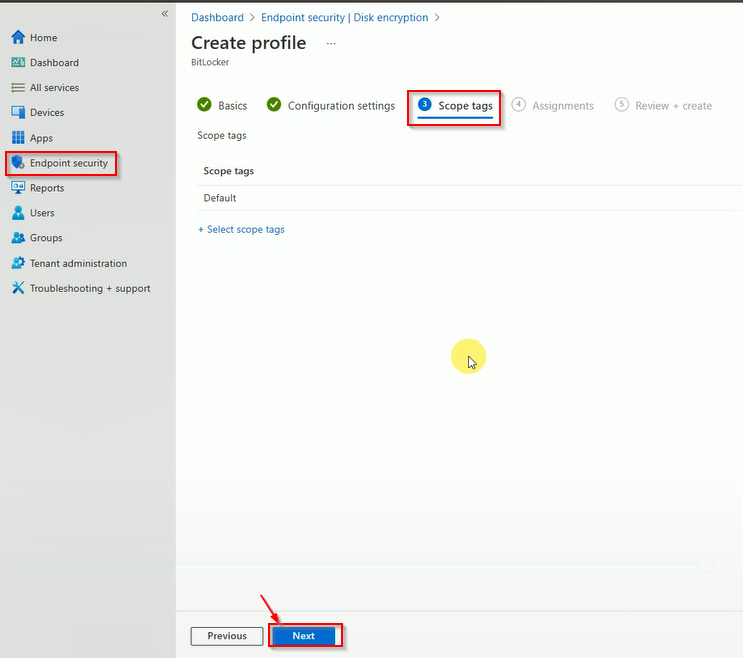
When you configured all the required settings then click on Next. Now Select the Tag if needed.
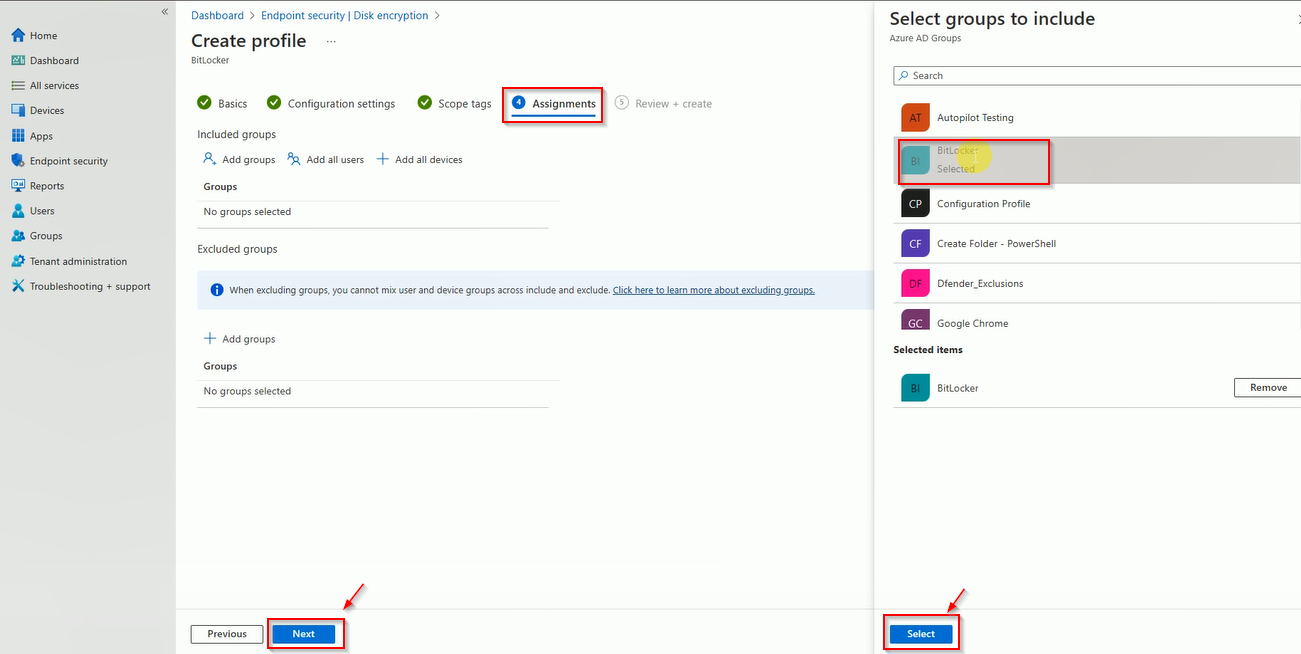
Select the group name where you want to enable the BitLocker policy.
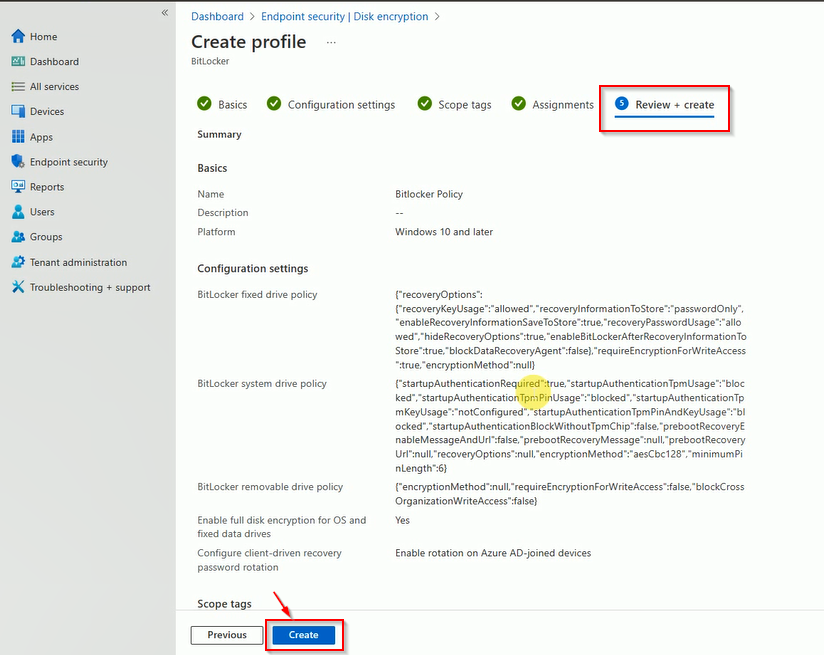
Finally, review the policy and click on create.
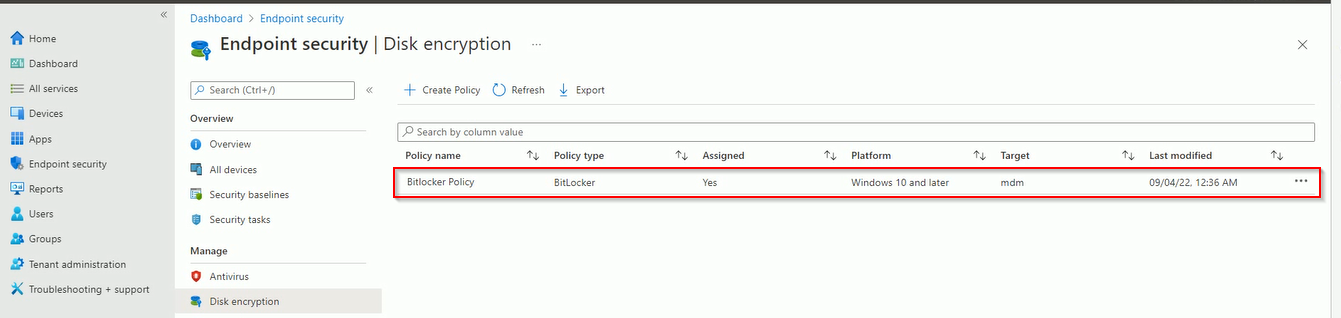
Now Policy created and visible in console.