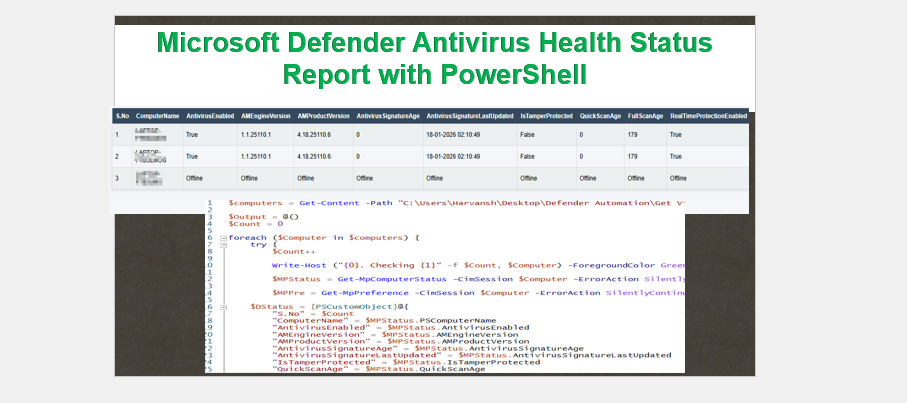
PowerShell — Generate Microsoft Defender Antivirus Health Status Report (HTML)
This PowerShell script collects Microsoft Defender Antivirus health status from local or remote Windows devices and saves the results as an easy-to-read HTML report.
✅ What the Report Includes
For each device, the report shows:
- S.No
- ComputerName
- AntivirusEnabled
- AMEngineVersion
- AMProductVersion
- AntivirusSignatureAge
- AntivirusSignatureLastUpdated
- IsTamperProtected
- QuickScanAge
- FullScanAge
- RealTimeProtectionEnabled
- SignatureFallbackOrder
- SignatureScheduleTime
- SignatureUpdateCatchupInterval
🔒 Prerequisites
- Run PowerShell as Administrator.
- Your account must have local admin rights on the remote computer(s).
- PowerShell Remoting enabled on target machines (for remote runs).
- Network and firewall must allow WinRM/PowerShell remoting.
- Microsoft Defender Antivirus must be installed/enabled on the target(s).
📥 Script Download
https://github.com/harvansh007/Defender-for-Endpoint-Automation-Scripts?tab=readme-ov-file
Tip: Clone or download the repo and locate the script that generates the Defender Health HTML report.
Output :-
